
Bedrock Box
About the Mod
Your goal is to completely fill the box with blocks to win. Viewers can send gifts to drop dynamite, meteors, and other traps, preventing you from completing the build. But they can also help by adding their own blocks and filling empty spaces. Will you manage to build the arena faster than the viewers destroy it?
Setup Guide
Download the MichMods App and log into your account.
Install a local server directly through the app, and in the server window on the "Plugins" tab, install the Bedrock Box plugin.
Go to the "Games" tab and select Minecraft: Bedrock Box.
Apply a ready-made template and optionally customize the events (e.g., spawn blocks for a gift, drop TNT for a subscription, and many other effects!). Once done, save the template.
Start the server in the app, open Minecraft, go to "Multiplayer" -> "Direct Connection" and enter IP: localhost. Once connected, type the command /bb create 11 10 11 10 in the game chat to build the arena itself. You can also fine-tune its dimensions and appearance directly in the app under the "Settings" tab.
First, start your live broadcast. Make sure the stream is running, then enter your handle in the app and click "Connect".
* Note: We highly recommend using official game versions. Unofficial (pirated) versions are not supported and may cause unexpected crashes or errors.
Arena Management
Interactive Events

TNT
Spawns TNT randomly above the box.
Params: 1 (amount) • 4 (explosion power) • 2 (fuse timer in sec.)

Feet TNT
Spawns TNT at the player's feet.
Params: 1 (amount) • 4 (explosion power) • 1 (fuse timer in sec.)
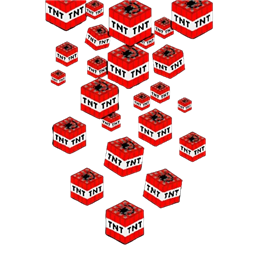
TNT Rain
Rain of TNT above the box.
Params: 30 (tnt count) • 4 (explosion power) • 2 (fuse timer in sec.)

Dynamite Lvl 1
Spawns level 1 dynamite.
Params: 1 (dynamite count)

Dynamite Lvl 2
Spawns level 2 dynamite.
Params: 1 (dynamite count)

Dynamite Lvl 3
Spawns level 3 dynamite.
Params: 1 (dynamite count)
Dynamite Lvl 4
Spawns level 4 dynamite.
Params: 1 (dynamite count)

Dynamite Lvl 5
Spawns level 5 dynamite.
Params: 1 (dynamite count)
Air Bomb
Drops an air bomb into the box.
Params: 1 (bomb count)
Nuke
Drops a devastating bomb that destroys the box.
Params: 1 (nuke count)